Before any AI sees your file, MasKey™ removes what your client never agreed to share.
Detect and mask PAN, Aadhaar, mobile, bank account, and 20+ other Indian identifiers from Excel, Word, and PDF files. 100% offline. Nothing leaves your machine.
- 100% offline
- 20+ ID formats
- ICAI-conscious
- Made in India
You uploaded an ITR to ChatGPT for a quick review.
Along with it went your client's PAN, Aadhaar, mobile number, bank account, and every line of their financial life — to servers you don't control, kept indefinitely. One breach. One leaked prompt. One employee at the AI company who shouldn't have seen it. Then what?
ICAI disciplinary action
Unauthorized disclosure of client data breaches the CA Regulations. The Institute doesn't distinguish accidental from deliberate.
Client trust, destroyed
A client's PAN and bank statement finding its way into an AI training corpus is a story that ends one way. And they'll be telling everyone.
Legal liability, yours
DPDP Act. IT Act. Contractual confidentiality clauses. The exposure surface is not theoretical, and it lands on the professional's desk.
Five steps. Zero uploads to strangers.
MasKey runs entirely in your browser. Your files are never uploaded anywhere. The masking key stays on your machine. This is not a promise — it's the architecture.
Upload
Drop your Excel, Word, PDF, or CSV file into MasKey. It runs entirely in your browser.
Auto-mask
MasKey finds 20+ Indian ID formats and replaces each with a token like [PAN_1], [MOBILE_1], [ACCOUNT_1].
Download
You get two files: the sanitized document, and a private masking key (.json) that only you have.
Use any AI
Upload the sanitized file to ChatGPT, Claude, Gemini, or any tool. There's nothing sensitive left to leak.
Re-identify
When the AI returns its analysis, use your private key to map tokens back to the original values.
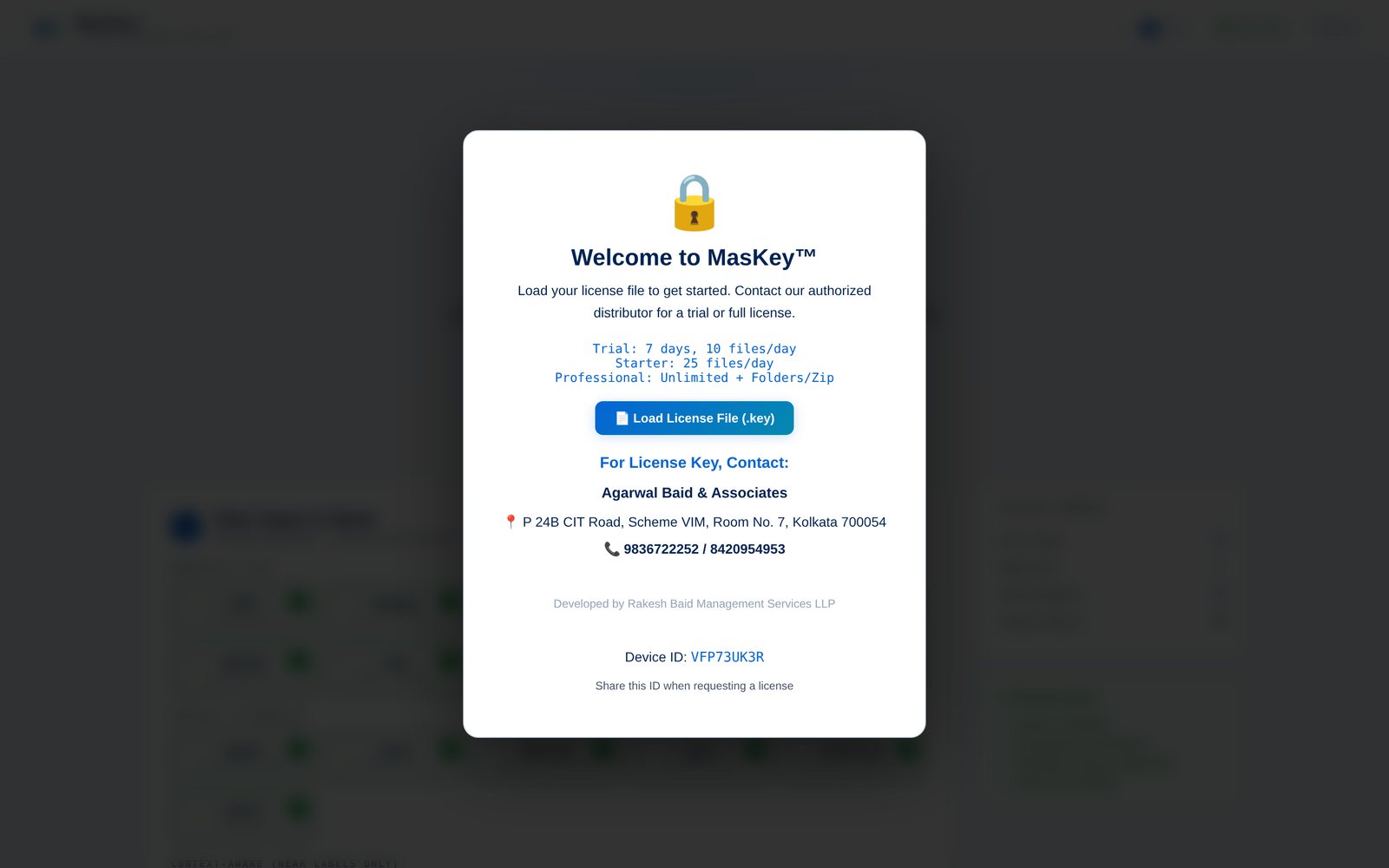
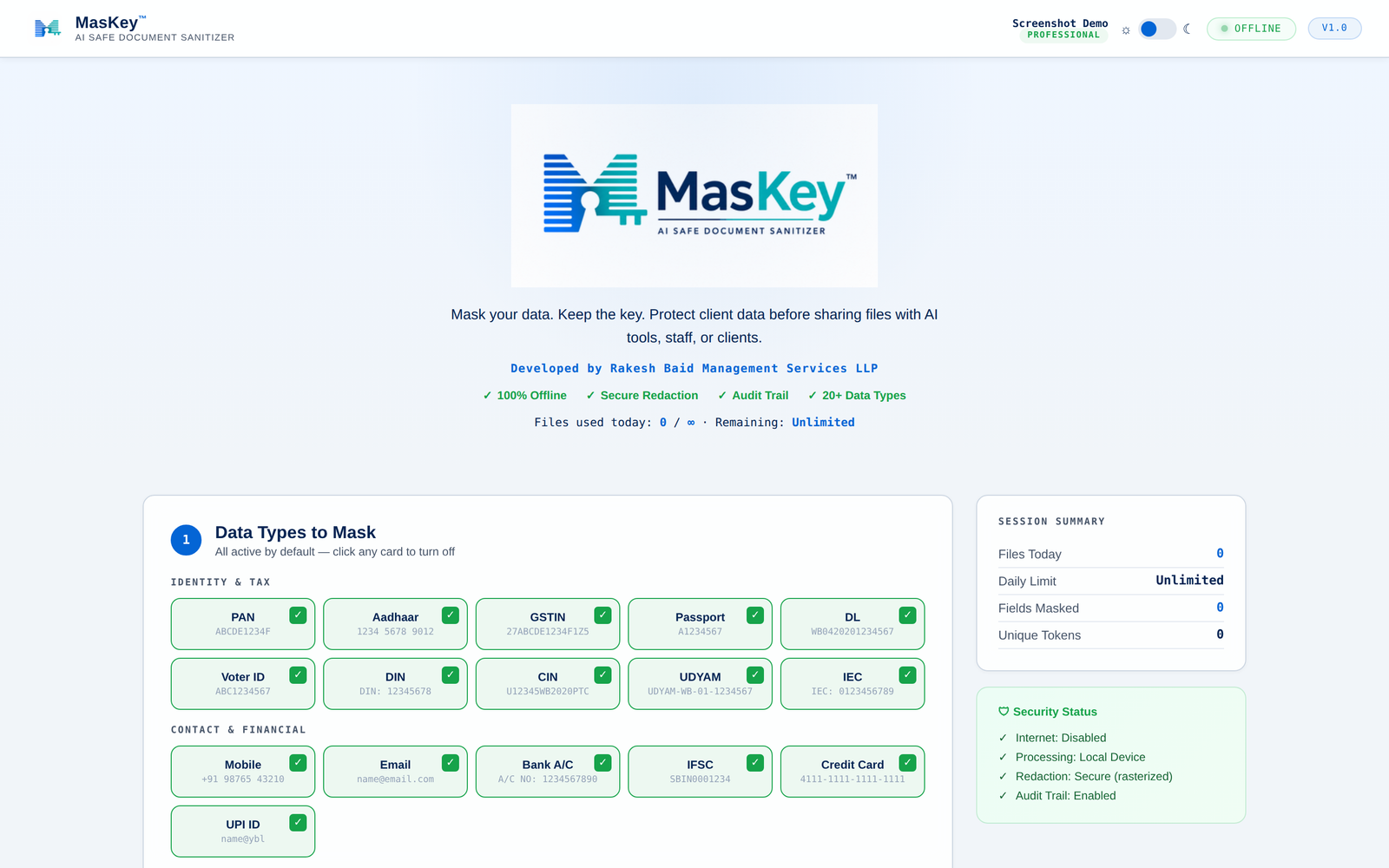
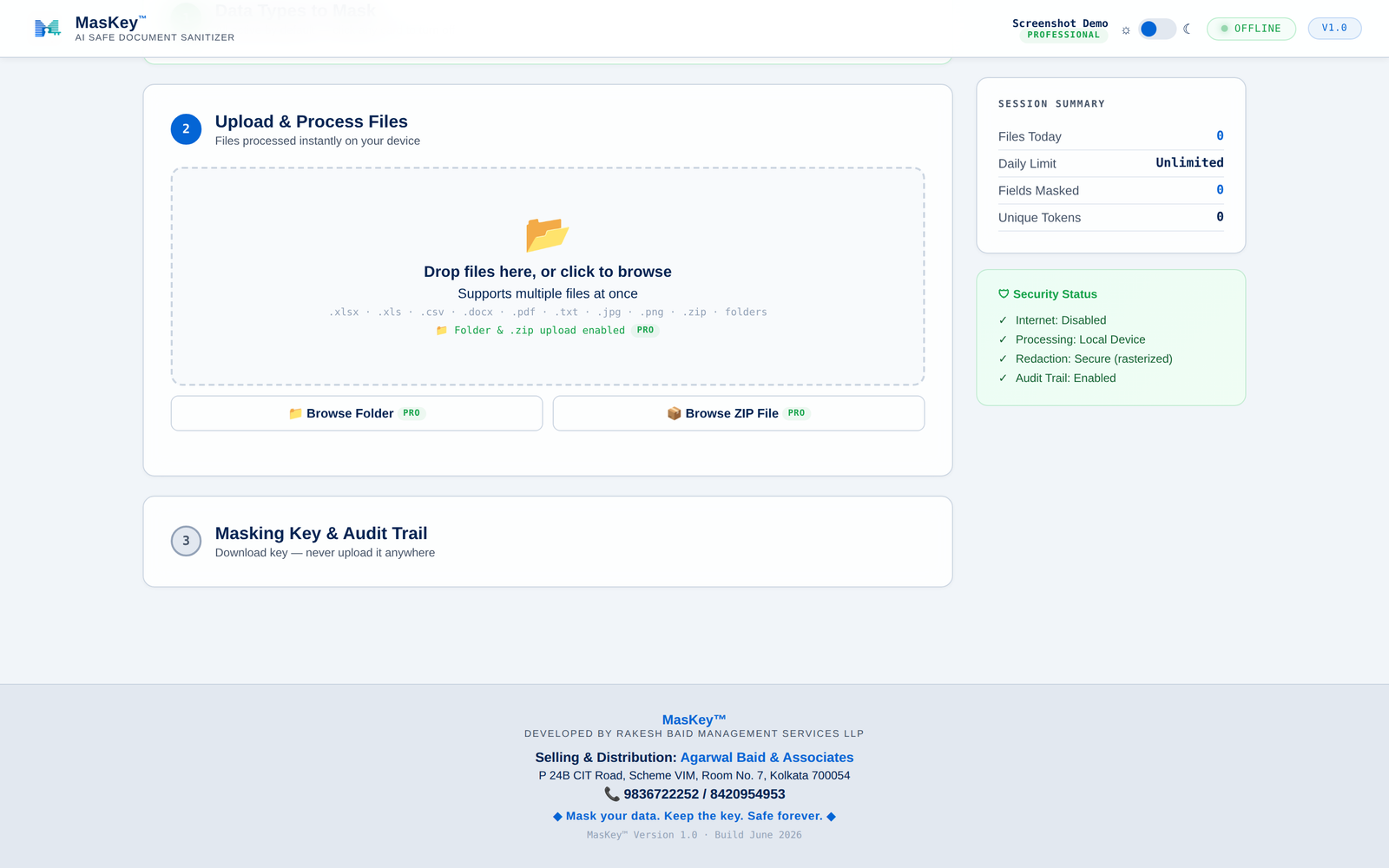
A tour of MasKey in six screens.
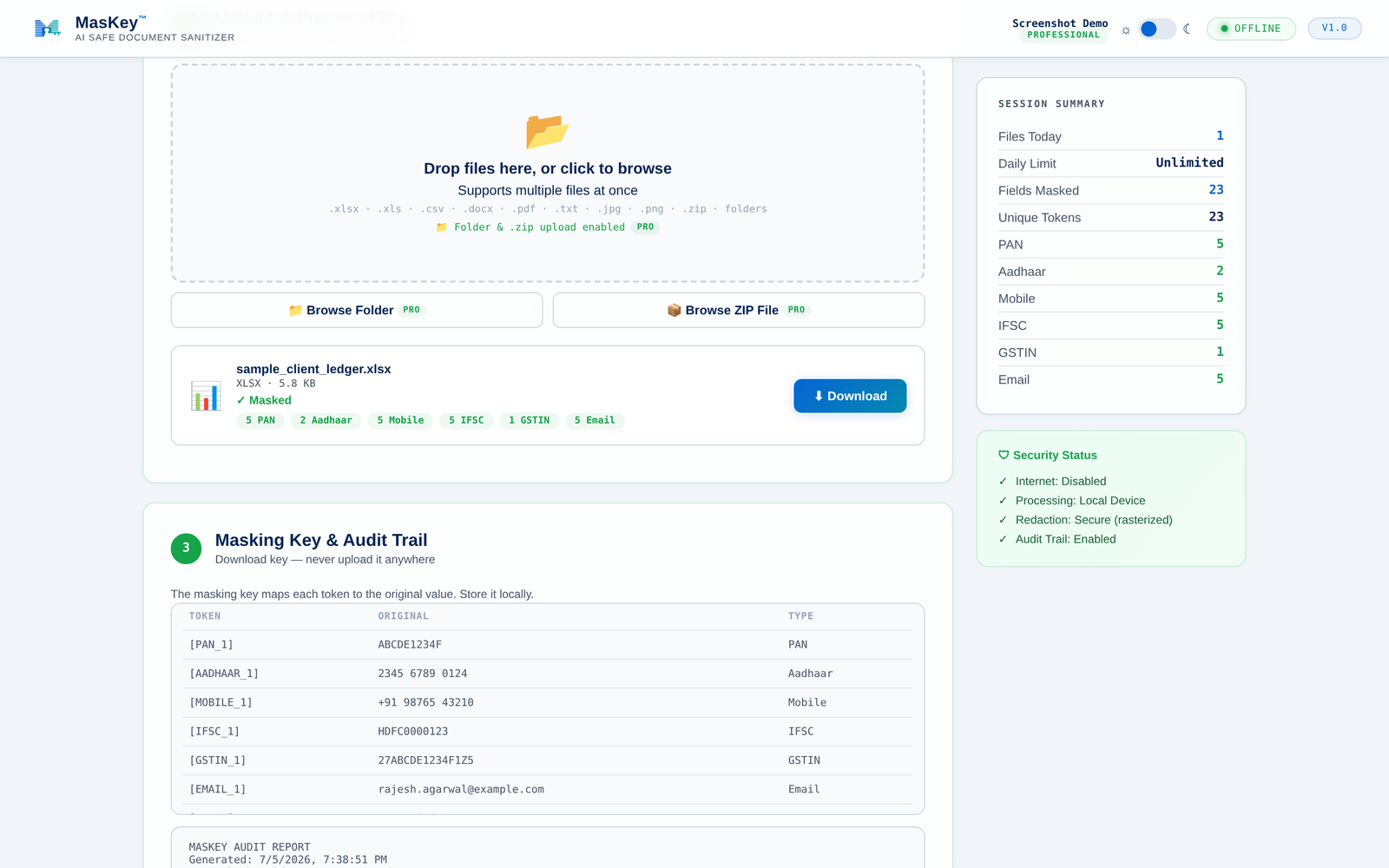
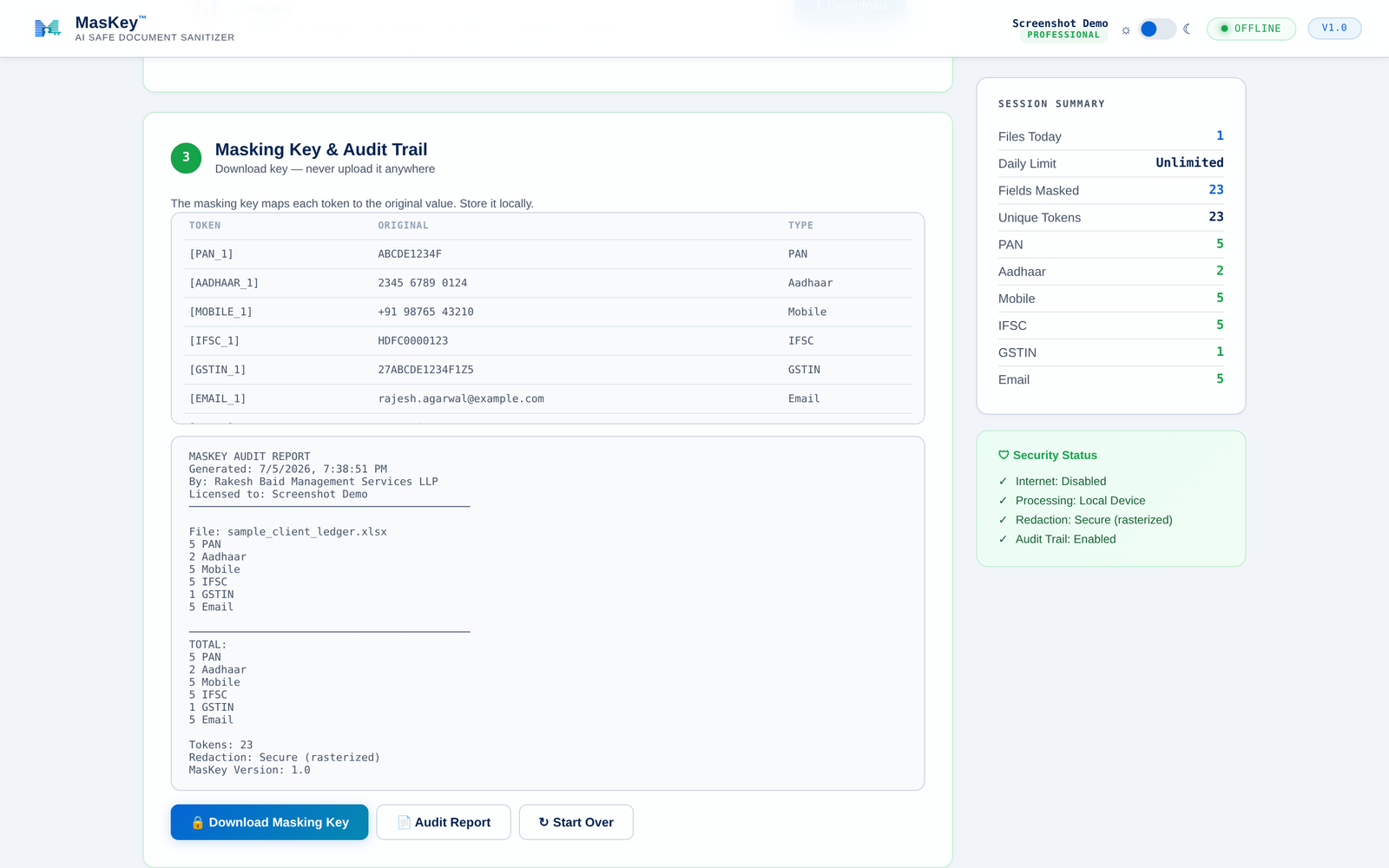
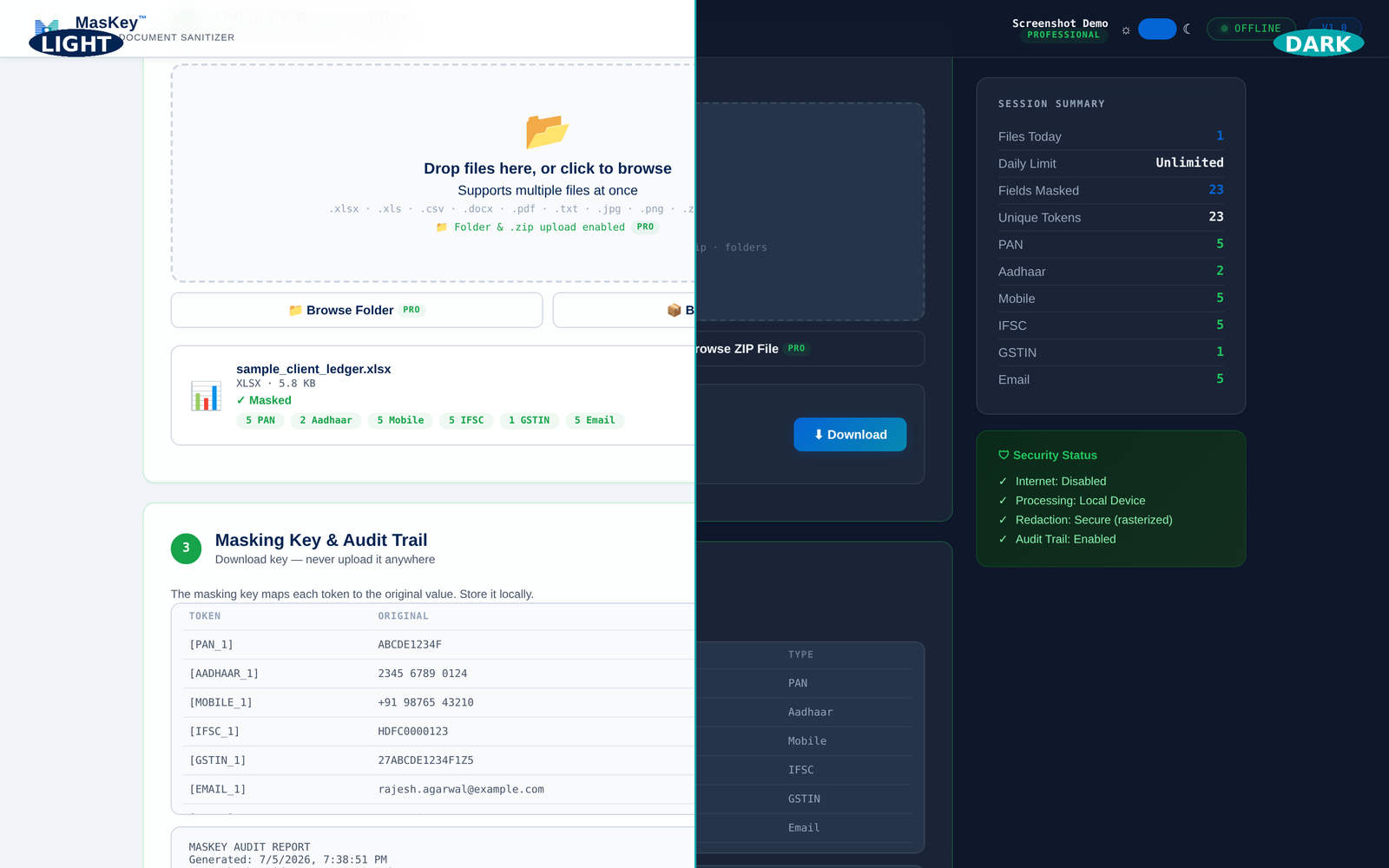
Every screen you'll use — from license activation and choosing which identifiers to mask, to the audit trail and the theme toggle.
Built for real documents. Every format that lands on your desk.
Excel & CSV
Formulas, formatting, and cell styles preserved. Only the values that identify a person get masked.
Word (.docx)
Full document.xml, headers, footers, and tables. Styles and fonts intact. Nothing else changes.
PDF — securely
Each page is rasterized so the original text objects are physically destroyed. Not overlaid. Not "hidden". Gone.
Images
PNG and JPEG framework in place with OCR on the roadmap for scanned bank statements and photographed IDs.
ZIP archives
Batch process folders of files in one drop. Excel, Word, PDF — all in one ZIP, all sanitized together.
Formatting preserved
Sanitized files look identical to the original — same fonts, same layout. Only the sensitive strings are replaced.
20+ Indian identifiers, out of the box.
Every pattern below is built in and toggleable. Aadhaar numbers pass a Verhoeff checksum before masking — dramatically fewer false positives than a naive 12-digit regex.
Identity documents
- PAN
- Aadhaar (Verhoeff)
- Passport
- Voter ID
- Driving License
Tax & business
- GSTIN
- CIN
- DIN
- UDYAM
- IEC
Financial
- Bank Account No.
- IFSC Code
- Credit Card No.
- UPI ID
- Cheque No.
Contact & personal
- Mobile No.
- Email address
- PIN Code
- Date of Birth
- Age
Not just another masking tool.
The details are what separate a compliance-grade product from a script. Here's what we obsessed over.
Zero installation
One HTML file. Opens in Chrome or Edge. No admin rights, no MSI, no IT ticket.
Zero internet
Works completely offline. Unplug your ethernet if you want to verify.
Verhoeff validation
Aadhaar numbers checksum-verified before masking. Fewer false positives than any regex-only tool.
Secure PDF redaction
Text objects physically destroyed via page rasterization. No hidden layers, no "select and copy" leaks.
Format preserved
Excel formulas, Word styles, PDF fonts — all intact. Sanitized files look identical to the original.
Audit trail
Every masking action logged with timestamp and source. Compliance-ready record for review.
Device-locked license
XOR-encrypted key file bound to your machine fingerprint. Not resharable.
Built by CAs, for CAs
Made by a Kolkata chartered accountancy firm that faced the problem first-hand. Every feature earned its place.
Light & dark modes
One-tap theme toggle for long work sessions. Same features, either aesthetic — the only choice you shouldn't have to think about.
Simple. Honest. Priced for practices, not enterprises.
One year of unlimited use costs less than a single client dispute would.
Trial
Try it on real files before you commit.
7-day validity
- 5 files total across the trial period
- All ID formats detected
- Watermarked output
- Email support
Professional
For firms serious about AI adoption.
₹18 / day — less than a chai
- Unlimited files
- Folder & ZIP batch upload
- All 20+ ID formats
- Full audit trail export
- Priority WhatsApp support
- Free upgrades for 1 year
Starter
For solo practitioners.
₹7 / day
- 25 files per day
- All 20+ ID formats
- No watermark
- Email support
- Free upgrades for 1 year
All plans are device-locked, offline-forever, and include GST. Prices in INR.
Questions you'd ask before adopting anything.
Does my data ever leave my computer?
Which AI tools does this work with?
Can I unmask the AI's output later?
Is this compliant with ICAI guidelines and DPDP Act?
What file formats are supported?
What about scanned PDFs and photographed IDs?
How does the license work?
What happens after 1 year?
Can multiple people at the firm use one license?
What if I find sensitive data that MasKey missed?
Talk to us.
MasKey is built for chartered accountants, lawyers, and financial professionals across India. Get in touch for a trial license, pricing questions, or a live walkthrough.
P 24B CIT Road, Scheme VIM
Room No. 7, Kolkata 700054
4 Mandir Street
Kolkata 700073